Battery Saver Active: What It Means and What to Do
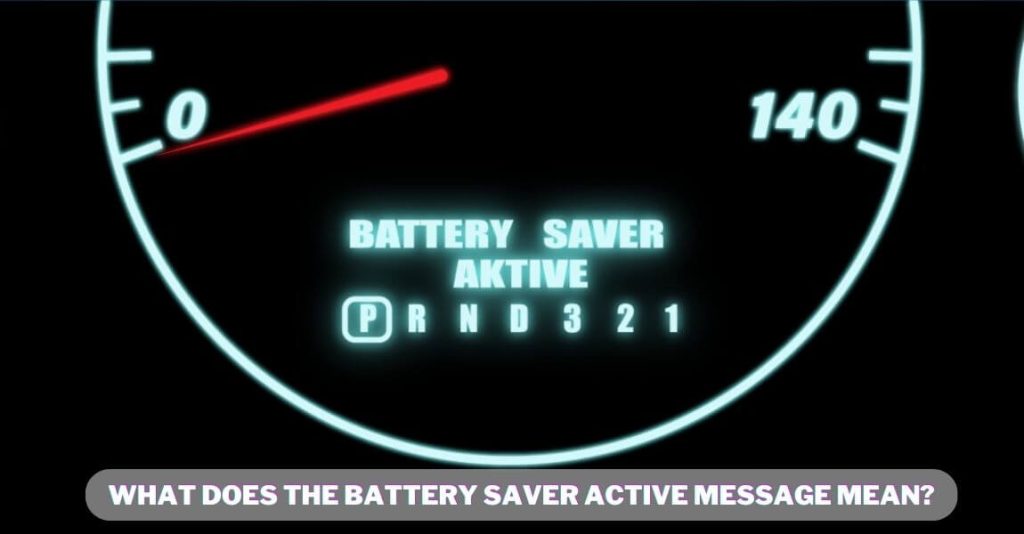
Ever glanced at your phone and seen that little yellow or orange icon pop up, accompanied by the words "Battery Saver Active?" It can feel a bit like a digital slap on the wrist, a reminder that your phone's battery life is dwindling and you're now in survival mode. But what does itreallymean, and more importantly, what should youdoabout it?
We've all been there: staring at a black screen, frantically searching for an outlet, or rationing our last few percentage points like they're gold dust. The anxiety of a dying phone can be surprisingly intense in our hyper-connected world. That's why understanding how to manage your battery and what "Battery Saver Active" signifies is crucial for staying connected and reducing that digital panic.
Simply put, "Battery Saver Active" means your phone has automatically or manually enabled a power-saving mode to extend the remaining battery life. It achieves this by limiting certain features and functionalities that consume a lot of power. Think of it as putting your phone on life support, prioritizing essential functions over the bells and whistles.
So, when you see "Battery Saver Active," your phone is actively trying to conserve power by restricting background activity, dimming the screen, limiting processing power, and potentially turning off features like always-on display or location services. It's a trade-off: you gain more battery life, but you lose some performance and convenience. Understanding how it works and what it does allows you to make informed decisions about how to use your phone when you're running low on juice. We'll explore what it means, how it works, the best ways to manage it, and even some fun facts about battery technology.
Understanding Battery Saver Activation
I remember one time I was hiking in the mountains. My phone was my lifeline for navigation, and as the afternoon wore on, I noticed the dreaded battery icon turning red. "Battery Saver Active" popped up, and suddenly my bright, responsive screen turned a little duller. At first, I was annoyed, but then I realized it was buying me precious time. I started paying more attention to my surroundings, relying less on the map, and actually enjoying the scenery more. The experience made me appreciate battery saver mode as more than just a last resort; it was a chance to be more mindful of my phone usage and connect with the real world.
Battery saver mode is essentially a suite of power-saving techniques that your phone employs to stretch its remaining battery life. It can be triggered automatically when your battery reaches a certain percentage (usually 20% or 15%), or you can enable it manually. The exact features that are limited depend on your phone's operating system (i OS or Android) and manufacturer, but common adjustments include reducing screen brightness, limiting background app refresh, disabling animations and visual effects, throttling CPU performance, and turning off features like "Hey Siri" or location services. Some battery saver modes also restrict network activity, such as email syncing or downloading updates. Ultimately, battery saver aims to minimize power consumption while still allowing you to make calls, send messages, and use essential apps.
The Mechanics of Battery Saving
At its core, battery saver mode is about reducing the load on your phone's processor and display, which are two of the biggest power consumers. Background app refresh, for instance, allows apps to update their data even when you're not actively using them. This can be useful for staying informed, but it also drains battery. By disabling or limiting background activity, battery saver prevents apps from constantly pinging servers and consuming power in the background. Similarly, reducing screen brightness makes a significant difference, as the display is a major energy hog. Throttling the CPU, or central processing unit, means limiting the speed at which your phone can perform calculations. This can make apps feel a little slower, but it also reduces the amount of energy required to run them. Battery saver essentially prioritizes essential functions over performance and visual appeal, allowing you to squeeze more life out of your battery.
A Brief History and Common Myths
The concept of battery saving has been around since the early days of mobile phones, evolving alongside battery technology itself. Early versions were often simple toggles that dimmed the screen and turned off unnecessary features. As smartphones became more sophisticated, so did battery-saving techniques. Today's battery saver modes are complex algorithms that dynamically adjust settings based on usage patterns and battery levels. However, many myths still persist. One common myth is that constantly using battery saver will damage your battery. This is generally untrue. While leaving your phone plugged in all the time can potentially degrade the battery over the long term, using battery saver mode is unlikely to cause any harm. Another myth is that closing apps manually will always save battery. In reality, constantly closing and reopening apps can actually consumemorepower than leaving them running in the background, especially if you use those apps frequently. Battery saver mode is designed to manage these processes intelligently, optimizing power consumption without requiring you to constantly micromanage your apps.
Unveiling Hidden Battery Drainers
Beyond the obvious culprits like screen brightness and background app refresh, there are often hidden factors that contribute to battery drain. One common culprit is location services. Many apps constantly track your location, even when you're not actively using them. This can be a significant drain on battery, especially if you have a lot of apps with location permissions. Another hidden drainer is push notifications. While notifications can be useful for staying informed, each notification requires your phone to wake up and process the data, consuming power in the process. Similarly, widgets, which are small app windows that display information on your home screen, can also drain battery if they are constantly updating in the background. By identifying and addressing these hidden battery drainers, you can significantly improve your phone's battery life, even without relying solely on battery saver mode. Consider reviewing your app permissions, limiting push notifications, and removing unnecessary widgets to optimize your battery performance.
Recommendations for Optimal Battery Saving
So, what are the best ways to use battery saver mode effectively? First, familiarize yourself with your phone's battery settings. Most phones allow you to customize when battery saver mode is automatically enabled and which features are restricted. Experiment with different settings to find the optimal balance between battery life and performance. Second, be mindful of your app usage. Identify apps that consume a lot of battery and limit your use of them when you're running low on power. Consider deleting apps that you don't use frequently, as they may still be running in the background and draining battery. Third, keep your phone's software up to date. Software updates often include battery optimizations that can improve overall battery performance. Finally, consider investing in a portable charger. A power bank can be a lifesaver when you're on the go and don't have access to an outlet. By following these recommendations, you can effectively manage your battery life and avoid the dreaded "low battery" anxiety.
Diving Deeper into Battery Technology
To truly understand battery saving, it's helpful to have a basic understanding of battery technology. Most smartphones use lithium-ion batteries, which are known for their high energy density and relatively long lifespan. However, lithium-ion batteries degrade over time, meaning their capacity decreases with each charge cycle. This degradation is influenced by several factors, including temperature, charging habits, and usage patterns. High temperatures, for example, can accelerate battery degradation. That's why it's important to avoid exposing your phone to extreme heat, such as leaving it in direct sunlight. Similarly, constantly charging your phone to 100% and then letting it drain completely can also accelerate battery degradation. It's generally recommended to keep your battery charge between 20% and 80% to maximize its lifespan. By understanding these basic principles of battery technology, you can make informed decisions about how to care for your phone's battery and extend its lifespan.
Essential Battery Saving Tips
Beyond enabling battery saver mode, there are several simple tips that can significantly improve your phone's battery life. One of the most effective tips is to reduce screen brightness. The brighter your screen, the more power it consumes. Consider enabling auto-brightness, which automatically adjusts the screen brightness based on ambient lighting conditions. Another helpful tip is to disable unnecessary features, such as Bluetooth, Wi-Fi, and location services, when you're not using them. These features constantly scan for nearby devices and networks, consuming power even when they're not actively connected. You can also limit push notifications, as each notification requires your phone to wake up and process the data. Finally, close apps that you're not using. While some apps may be optimized to run efficiently in the background, others can consume significant power even when they're not actively being used. By implementing these simple tips, you can significantly extend your phone's battery life and reduce the need to constantly rely on battery saver mode.
Advanced Battery Optimization Techniques
For users who want to take battery optimization to the next level, there are several advanced techniques to consider. One option is to use app management tools, which can help you identify and manage apps that are consuming excessive battery power. These tools often provide detailed information about app usage and allow you to restrict background activity or even uninstall problematic apps. Another advanced technique is to root your Android phone, which gives you greater control over the operating system and allows you to install custom ROMs or kernels that are optimized for battery life. However, rooting your phone can void your warranty and potentially brick your device, so it's important to proceed with caution. Finally, you can explore third-party battery saving apps, which often offer advanced features such as task killers, CPU control, and custom power profiles. However, it's important to choose these apps carefully, as some may be ineffective or even contain malware. By exploring these advanced techniques, you can fine-tune your phone's battery performance to achieve optimal results.
Fun Facts About Battery Technology
Did you know that the first battery was invented in 1800 by Alessandro Volta? His "Voltaic pile" was a stack of alternating zinc and silver discs separated by cloth soaked in saltwater. Fast forward to today, and we're using lithium-ion batteries in everything from smartphones to electric cars. These batteries are constantly evolving, with researchers exploring new materials and designs to improve their energy density, lifespan, and safety. One exciting area of research is solid-state batteries, which replace the liquid electrolyte with a solid material. Solid-state batteries are potentially safer, more energy-dense, and longer-lasting than traditional lithium-ion batteries. Another interesting development is the use of artificial intelligence to optimize battery performance. AI algorithms can analyze usage patterns and adjust charging parameters to maximize battery lifespan. Battery technology is a rapidly evolving field, and these fun facts offer a glimpse into the exciting innovations that are shaping the future of mobile power.
How to Maximize Battery Life When "Battery Saver Active" Is On
When "Battery Saver Active" is enabled, you're already taking steps to conserve power. However, you can further maximize your battery life by adjusting your usage habits. Avoid resource-intensive activities like gaming or streaming videos. Stick to essential tasks like making calls, sending messages, and checking email. Close unnecessary apps to prevent them from running in the background. If you're in an area with poor cellular reception, consider turning on airplane mode, as constantly searching for a signal can drain battery. You can also try turning off location services altogether, as many apps constantly track your location even when you're not using them. By making these small adjustments, you can squeeze even more life out of your battery when "Battery Saver Active" is on.
What If Battery Saver Isn't Enough?
Sometimes, even with battery saver mode enabled, your phone's battery may still be draining faster than you'd like. In these situations, there are several steps you can take to troubleshoot the problem. First, check your battery usage statistics to identify apps that are consuming excessive power. You may need to uninstall these apps or restrict their background activity. Second, ensure that your phone's software is up to date. Software updates often include battery optimizations that can improve overall battery performance. Third, consider replacing your battery if it's old or degraded. Over time, lithium-ion batteries lose their capacity and may need to be replaced. If none of these steps resolve the issue, there may be a hardware problem with your phone that requires professional repair. Don't hesitate to contact your phone's manufacturer or a qualified repair technician for assistance.
Listicle: 5 Ways to Extend Battery Life Today!
1.Dim Your Screen: Lowering your screen brightness is one of the easiest ways to save battery. Enable auto-brightness for optimal performance.
2.Disable Unused Features: Turn off Bluetooth, Wi-Fi, and location services when you're not actively using them.
3.Limit Notifications: Reduce the number of push notifications you receive to minimize power consumption.
4.Close Unnecessary Apps: Close apps that you're not using to prevent them from running in the background.
5.Update Your Software: Keep your phone's software up to date to benefit from battery optimizations.
By implementing these simple tips, you can significantly extend your phone's battery life and stay connected for longer.
Question and Answer about Battery Saver Active: What It Means and What to Do
Q: Will using Battery Saver damage my phone's battery?
A: No, using Battery Saver mode will not damage your battery. In fact, it can help extend the lifespan of your battery by reducing the load on it.
Q: How do I know which apps are draining my battery the most?
A: You can check your phone's battery usage statistics in the settings menu. This will show you which apps are consuming the most power.
Q: Can I customize the settings for Battery Saver mode?
A: Yes, most phones allow you to customize the settings for Battery Saver mode, such as when it is automatically enabled and which features are restricted.
Q: What should I do if Battery Saver mode isn't enough to save battery?
A: If Battery Saver mode isn't enough, try closing unnecessary apps, disabling unused features, and updating your phone's software. If the problem persists, consider replacing your battery.
Conclusion of Battery Saver Active: What It Means and What to Do
In conclusion, understanding what "Battery Saver Active" means and how to use it effectively is crucial for managing your phone's battery life. By implementing the tips and techniques discussed in this guide, you can extend your battery life, reduce the anxiety of a dying phone, and stay connected when you need it most. Remember to be mindful of your app usage, optimize your settings, and consider investing in a portable charger for those times when you're on the go. With a little knowledge and effort, you can master the art of battery saving and enjoy a longer, more reliable phone experience.
Post a Comment for "Battery Saver Active: What It Means and What to Do"