How to Keep Yourself Safe on the Internet
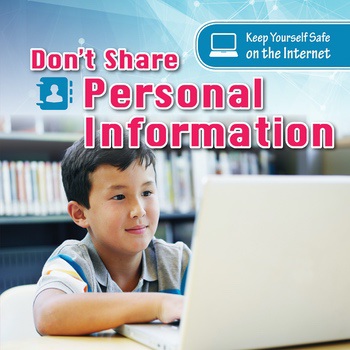
Ever feel a little uneasy about what happens to your data after you click "agree" on a website? Or maybe you've wondered if that "free" app is truly free, or if it's costing you something more precious – your privacy. You're not alone. Navigating the internet these days can feel like walking through a minefield, but with the right knowledge, you can protect yourself and your information.
It's understandable to feel overwhelmed by the complexities of online security. We use the internet for everything – banking, socializing, working, and even just relaxing. But with every click, every post, and every transaction, we're potentially exposing ourselves to risks like identity theft, scams, and privacy violations. It can feel like you're constantly playing catch-up, trying to stay one step ahead of the bad actors.
This post is your guide to navigating the online world safely and securely. We'll break down the essential steps you can take to protect your personal information, avoid scams, and maintain your privacy. Think of it as your digital self-defense handbook.
We'll explore practical tips like creating strong passwords, recognizing phishing attempts, understanding privacy settings, and keeping your software up-to-date. We'll also delve into the importance of using secure networks and being mindful of what you share online. By implementing these strategies, you can significantly reduce your risk and enjoy a safer, more secure online experience. It's about taking control and empowering yourself in the digital age, focusing on digital safety, online privacy, and cybersecurity awareness.
Why is Internet Safety Important?
Let me tell you a story. A few years ago, I received an email that looked incredibly legitimate. It appeared to be from my bank, warning me about suspicious activity on my account. Panic set in, and I clicked the link. Luckily, before I entered any personal information, something felt off. A quick phone call to my bank confirmed my suspicions: it was a phishing scam. That experience was a major wake-up call. It made me realize how easily anyone can fall victim to these tactics, and how vital it is to be proactive about internet safety. It's not just about protecting your bank account, it's about protecting your identity, your reputation, and your peace of mind.
Internet safety is important because our lives are increasingly intertwined with the online world. We conduct financial transactions, share personal information, and communicate with loved ones online. Without proper safety measures, we become vulnerable to a range of threats, including identity theft, financial fraud, malware infections, and cyberbullying. A single lapse in judgment can have devastating consequences. Moreover, maintaining internet safety is not just a personal responsibility, but also a collective one. By practicing safe online habits, we contribute to a more secure digital environment for everyone. This includes educating ourselves and others about potential risks, reporting suspicious activity, and advocating for stronger security measures from online platforms and service providers. It's about fostering a culture of cybersecurity awareness and promoting responsible online behavior.
Understanding Common Online Threats
Understanding the landscape of online threats is the first step in protecting yourself. Let's picture the internet as a bustling city. In this city, there are legitimate businesses, but also pickpockets, con artists, and even burglars. These are the online threats that you need to be aware of. Phishing, for example, is like a con artist trying to trick you into handing over your valuables (passwords, credit card numbers, etc.). Malware is like a virus that infects your computer and steals your data or damages your system. Identity theft is when someone steals your personal information and uses it to commit fraud. Scams are like those too-good-to-be-true deals that always end up costing you more than you bargained for. By recognizing these threats, you can be more vigilant and avoid falling victim to them. It's also important to stay informed about emerging threats, as cybercriminals are constantly developing new and sophisticated tactics. This means regularly reading cybersecurity news, following reputable security blogs, and attending webinars or workshops on internet safety.
The History and Evolution of Internet Security
The history of internet security is a fascinating journey from relative innocence to a constant battle against increasingly sophisticated threats. In the early days of the internet, security was not a primary concern. The focus was on connecting people and sharing information. However, as the internet grew in popularity and commercialized, it became a target for malicious actors. The first major security breaches involved viruses and worms that spread rapidly across networks, causing widespread disruption. Over time, hackers developed more sophisticated techniques, including phishing, malware, and denial-of-service attacks. The response to these threats has been a continuous cycle of innovation and adaptation. Security experts have developed new technologies and strategies to defend against cyberattacks, while cybercriminals have found new ways to circumvent these defenses. Today, internet security is a complex and dynamic field that requires constant vigilance and collaboration between individuals, organizations, and governments. Despite the challenges, there have been significant advancements in internet security, including the development of encryption technologies, intrusion detection systems, and security awareness training programs. These advancements have made the internet a safer place, but there is still much work to be done. One common myth is that only large organizations are targeted by cyberattacks. In reality, individuals and small businesses are also vulnerable. Another myth is that antivirus software is enough to protect you from all online threats. While antivirus software is an important security tool, it is not a complete solution. You also need to practice safe online habits and keep your software up-to-date.
Unveiling the Hidden Secrets of Online Privacy
One of the biggest secrets of online privacy is that it's not a default setting. Many people assume that their personal information is automatically protected online, but this is often not the case. Online platforms and service providers collect vast amounts of data about their users, and this data can be used for a variety of purposes, including targeted advertising, data mining, and even surveillance. The good news is that you can take steps to protect your privacy online. One of the most important things you can do is to understand the privacy settings of the online platforms you use. These settings allow you to control who can see your profile, posts, and other information. You should also be careful about what you share online, as anything you post can be seen by others and potentially used against you. Another hidden secret is that your online activity is being tracked even when you're not actively using the internet. Websites and apps use cookies and other tracking technologies to collect information about your browsing habits, location, and other personal details. You can limit this tracking by using privacy-focused browsers, installing ad blockers, and disabling location services. It's also important to be aware of the privacy policies of the websites and apps you use. These policies outline how your data is collected, used, and shared. By understanding these policies, you can make informed decisions about whether or not to use a particular service. Ultimately, protecting your online privacy requires a proactive and informed approach. It's about taking control of your data and making conscious choices about what you share online.
Expert Recommendations for a Secure Online Experience
When it comes to securing your online experience, it's always a good idea to learn from the experts. Cybersecurity professionals spend their days analyzing threats and developing strategies to protect individuals and organizations from cyberattacks. One of their top recommendations is to use strong, unique passwords for all of your online accounts. This means avoiding common passwords like "password" or "123456" and using a combination of uppercase and lowercase letters, numbers, and symbols. Another recommendation is to enable two-factor authentication (2FA) whenever possible. This adds an extra layer of security to your accounts by requiring a second verification method, such as a code sent to your phone, in addition to your password. Experts also recommend keeping your software up-to-date. Software updates often include security patches that fix vulnerabilities that could be exploited by cybercriminals. It's also important to be wary of phishing emails and other scams. Never click on links or open attachments from unknown senders, and always verify the authenticity of any email that asks for personal information. Finally, experts recommend using a virtual private network (VPN) when connecting to public Wi-Fi networks. A VPN encrypts your internet traffic, making it more difficult for hackers to intercept your data. These are just a few of the many recommendations that cybersecurity experts offer. By following their advice, you can significantly reduce your risk of becoming a victim of cybercrime.
Dive Deeper: Understanding Encryption and VPNs
Let's talk about encryption and VPNs in a bit more detail. Encryption is like a secret code that scrambles your data so that it can't be read by anyone who doesn't have the key. When you visit a website that uses HTTPS (the "S" stands for secure), your connection is encrypted, protecting your data from eavesdropping. A VPN, or Virtual Private Network, takes this concept a step further. It creates an encrypted tunnel between your device and a remote server, masking your IP address and protecting your online activity from being tracked. VPNs are particularly useful when using public Wi-Fi, as they prevent hackers from intercepting your data on unsecured networks. However, it's important to choose a reputable VPN provider, as some VPNs may log your browsing activity and sell it to third parties. In addition to encryption and VPNs, there are other technologies that can help protect your online privacy. For example, Tor is a network of volunteer-run servers that anonymizes your internet traffic by routing it through multiple relays. Tor can be useful for protecting your identity when browsing sensitive websites or communicating with whistleblowers. However, it's important to note that Tor can slow down your internet speed and may not be suitable for all online activities. Ultimately, the best way to protect your online privacy is to use a combination of technologies and practices, including encryption, VPNs, privacy-focused browsers, and a healthy dose of skepticism.
Essential Tips for Maintaining Online Safety
Okay, let's get down to brass tacks. What are some concrete steps you can take right now to improve your online safety? First, strengthen your passwords. Use a password manager to generate and store strong, unique passwords for each of your accounts. Enable two-factor authentication (2FA) whenever possible. Be wary of phishing scams. Don't click on links or open attachments from unknown senders. Keep your software up-to-date. Enable automatic updates on your devices and applications. Use a VPN when connecting to public Wi-Fi. Protect your personal information. Be mindful of what you share online and avoid posting sensitive information that could be used to steal your identity. Review your privacy settings. Take the time to understand and customize the privacy settings of the online platforms you use. Use a firewall. A firewall is a security system that helps protect your computer from unauthorized access. Back up your data. Regularly back up your important files to an external hard drive or cloud storage service. Educate yourself. Stay informed about the latest online threats and security best practices. By following these tips, you can significantly reduce your risk of becoming a victim of cybercrime.
The Importance of Strong Passwords and Password Managers
Let's zoom in on the importance of strong passwords and password managers. A strong password is like a sturdy lock on your front door. It prevents unauthorized access to your accounts and personal information. A weak password, on the other hand, is like leaving your door unlocked, inviting anyone to walk in and take what they want. Password managers are tools that help you generate and store strong, unique passwords for each of your accounts. They work by creating complex passwords that you don't have to remember, and then securely storing them in an encrypted vault. When you need to log in to an account, the password manager automatically fills in your username and password. This eliminates the need to remember multiple passwords and reduces the risk of using the same password for multiple accounts. There are many different password managers available, both free and paid. Some popular options include Last Pass, 1Password, and Dashlane. When choosing a password manager, it's important to select a reputable provider that uses strong encryption and has a good track record of security. It's also important to protect your password manager with a strong master password that you don't use for any other accounts. By using a password manager, you can significantly improve your online security and reduce the risk of password-related breaches.
Fun Facts About Internet Safety
Did you know that the first computer virus was created in 1983? Or that it takes an average of 197 days to detect a data breach? Internet security isn't just about serious threats; there are also some pretty interesting facts and figures surrounding it. For example, the most common type of cyberattack is phishing, accounting for over 80% of reported security incidents. And while many people think that hackers are sophisticated criminals, a large percentage of cyberattacks are actually caused by human error. Another fun fact is that the term "spam" comes from a Monty Python sketch about a restaurant that serves nothing but Spam. The sketch was so popular that the term became associated with unwanted emails and messages. While these facts may be amusing, they also highlight the importance of internet safety. Cyberattacks are a real and growing threat, and it's important to be aware of the risks and take steps to protect yourself. By staying informed and practicing safe online habits, you can help make the internet a safer place for everyone.
How to Protect Your Children Online
Protecting children online is a crucial aspect of internet safety. The online world can be a wonderful resource for learning and entertainment, but it also poses risks to children, who may be more vulnerable to online predators, cyberbullying, and inappropriate content. One of the most important things you can do is to talk to your children about online safety. Explain the risks of sharing personal information online, meeting strangers online, and clicking on suspicious links. Encourage them to come to you if they encounter anything that makes them feel uncomfortable or unsafe. You can also use parental control software to block inappropriate content, limit screen time, and monitor your children's online activity. There are many different parental control software options available, both free and paid. Some popular options include Qustodio, Net Nanny, and Kaspersky Safe Kids. When choosing parental control software, it's important to select a program that meets your specific needs and has a good track record of security. In addition to parental control software, you can also use browser extensions and search engine filters to block inappropriate content. It's also important to educate yourself about the latest online threats and trends, so you can better protect your children. By taking these steps, you can help ensure that your children have a safe and positive online experience.
What If You Become a Victim of Cybercrime?
Even with the best precautions, there's always a chance you could become a victim of cybercrime. What should you do if that happens? First, don't panic. Take a deep breath and assess the situation. If you've been hacked, change your passwords immediately. If you've been scammed, contact your bank and credit card companies to report the fraud. If your identity has been stolen, file a report with the Federal Trade Commission (FTC). It's also important to document everything that happened, including the date, time, and details of the incident. This information will be helpful when reporting the crime to law enforcement and filing insurance claims. You should also monitor your credit reports and bank accounts for any suspicious activity. Consider placing a fraud alert on your credit reports to make it more difficult for someone to open new accounts in your name. If you're unsure of what to do, contact a cybersecurity expert or attorney for assistance. They can help you navigate the legal and technical aspects of cybercrime and protect your rights. Remember, you're not alone. Millions of people are victimized by cybercrime every year, and there are resources available to help you recover. By taking swift action and seeking professional help, you can minimize the damage and protect yourself from further harm.
A Listicle of Essential Internet Safety Practices
Let's break it down into a quick and easy list: 1. Use strong, unique passwords for all your accounts.
2. Enable two-factor authentication (2FA) whenever possible.
3. Be wary of phishing emails and other scams.
4. Keep your software up-to-date.
5. Use a VPN when connecting to public Wi-Fi.
6. Protect your personal information online.
7. Review your privacy settings regularly.
8. Back up your data frequently.
9. Use a firewall and antivirus software.
10. Educate yourself and stay informed about online threats. This list serves as a reminder of the core principles of internet safety. It's not an exhaustive list, but it covers the most important steps you can take to protect yourself online. By making these practices a part of your daily routine, you can significantly reduce your risk of becoming a victim of cybercrime. Remember, internet safety is an ongoing process, not a one-time event. It requires constant vigilance and a willingness to adapt to new threats and technologies.
Question and Answer Section About Internet Safety
Here are some common questions about internet safety, along with their answers:
Q: What is phishing?
A: Phishing is a type of online scam where criminals try to trick you into giving them your personal information, such as passwords, credit card numbers, or social security numbers. They often do this by sending emails or text messages that look like they're from legitimate organizations, such as banks or government agencies.
Q: How can I tell if an email is a phishing scam?
A: Look for red flags such as poor grammar, spelling errors, suspicious links, and requests for personal information. If you're unsure, contact the organization directly to verify the email's authenticity.
Q: What is two-factor authentication (2FA)?
A: Two-factor authentication (2FA) is an extra layer of security that requires a second verification method, such as a code sent to your phone, in addition to your password, when logging into an account. This makes it much harder for hackers to access your accounts, even if they have your password.
Q: What is a VPN and why should I use one?
A: A VPN, or Virtual Private Network, encrypts your internet traffic and masks your IP address, protecting your online activity from being tracked and intercepted. It's particularly useful when using public Wi-Fi networks, which are often unsecured.
Conclusion of How to Keep Yourself Safe on the Internet
Protecting yourself online is an ongoing journey, not a destination. By implementing the tips and strategies outlined in this post, you can significantly reduce your risk and enjoy a safer, more secure online experience. Remember to stay informed, be vigilant, and adapt to the ever-changing landscape of online threats. Your digital safety is in your hands. Prioritizing cybersecurity awareness, practicing responsible online behavior, and taking proactive steps to safeguard your personal information will empower you to navigate the digital world with confidence and peace of mind.
Post a Comment for "How to Keep Yourself Safe on the Internet"